Do you need to download Aviator?
Aviator is a game by SPRIBE, which lists desktop, tablet and mobile support on its official game page. That does not mean every search result called Aviator App is a universal SPRIBE application. An operator may provide access through its website, its own app, or both. Start with the platform directory, then read the chosen operator's current device information.
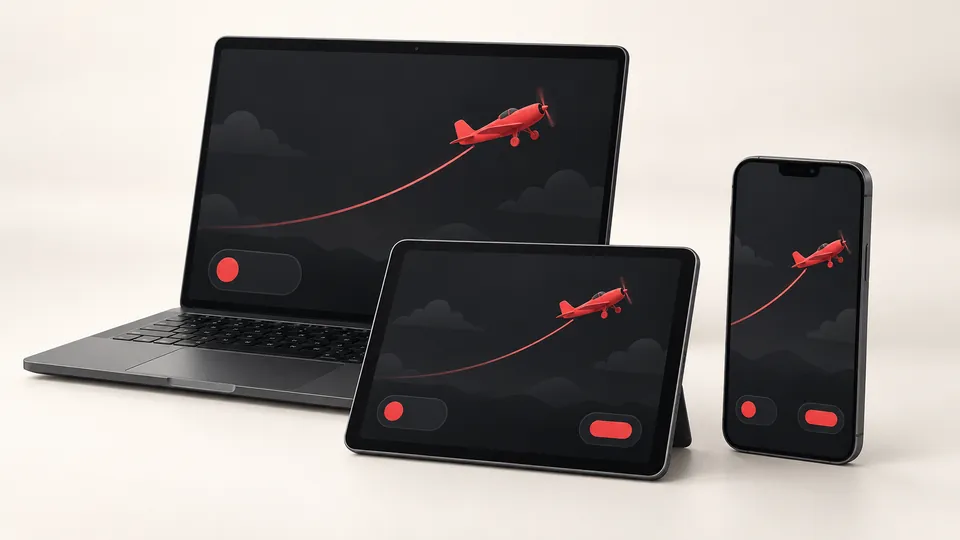
Browser access avoids installing a separate package, but it still requires the correct website and a working connection. An installed app also needs a connection for an online game. Neither route gives advance knowledge of a round's result.
| Device | Access route to check | Common misunderstanding |
|---|---|---|
| Android phone or tablet | Operator website, verified store listing or operator-published APK | An APK filename does not identify its publisher. |
| iPhone or iPad | Operator website in Safari or a verified App Store listing | An Android APK cannot serve as an iPhone app. |
| Windows or Mac | Operator's supported desktop browser route | A desktop guide does not establish a need for an emulator. |
Android: APK and Google Play are different routes
An APK is the package Android uses to install an application. It describes a file format, not a seal of approval. Android's documentation explains that distinction and how Google Play supplies packages suited to a device.
If an operator publishes a Google Play link, follow it from the verified operator website and compare the developer name, support address and privacy policy. Searching the store by the word Aviator alone can produce unrelated games or guides. Check what the listing actually offers.
For a direct APK, check where the file comes from before downloading it. The operator's own instructions should identify the app and explain how it is distributed. Do not replace a failed download with a file from a Telegram channel, a file-sharing site or a page promising a modified winning version. We do not host an APK here or certify third-party packages.
There is no single file size, latest version number or minimum Android release that applies to every operator app. Those details belong to the specific publisher's release. A comparison page quoting one universal specification can send you to an obsolete or unrelated file.
iPhone, iPad and PC access
On an iPhone, check the operator's mobile website and any App Store link it publishes. A page offering an Aviator APK for iOS has confused two different software formats. Renaming the file does not make it compatible.
You can save a verified website to the iPhone Home Screen using Safari's sharing controls. Apple explains the Home Screen web-app option. A Home Screen icon may open a website; it does not prove you installed an App Store application. The account and connection requirements of that website still apply.
On Windows or Mac, use the operator's supported browser information before considering any software download. A browser game does not automatically require a Windows installer, an Android emulator or a browser extension. An extension advertised as a speed booster or predictor introduces a separate publisher and another set of permissions.
Check who published the download
Match three things: the website offering the app, the developer named on the download or store page, and the business identified in the privacy policy. An operator brand can use a different legal company name, but the relationship should be explained in its own documents. A mismatch that nobody can explain is a reason to stop.
Read beyond the logo. Look for a working support route, release information and a privacy policy that describes the data collected. Ratings and screenshots can provide context, but they cannot establish that a particular file came from the business you intended to use. HTTPS protects the connection to a domain; it does not turn every domain into the official publisher.
Permissions and updates deserve a second look
Read each permission request as access to a part of your phone. Camera access could have a stated identity-check purpose; access to messages, accessibility controls or screen capture needs its own explanation. Do not approve a bundle of requests merely because a tutorial says they activate the game.
Keep device protections enabled. Google Play Protect checks apps for harmful behaviour and can warn about, disable or remove harmful software. A clean-looking screen is not a security assessment, and a scan cannot establish an operator's payment reliability.
Use the original publisher's update route. An unsolicited message announcing an urgent update, new wallet or compulsory migration should be checked against the website you already trust. Do not grant remote control to someone who offers to finish the installation.
Aviator login, registration and account recovery
Your player login belongs to the operator that manages the account. SPRIBE supplies the game; this independent website has no player database and cannot reset an operator password. A login from one platform should not be assumed to work on another.
Before creating an account, read the operator's age, location and identity requirements. Check the account currency and privacy terms while they are visible. Different services use different registration fields, so there is no reliable universal form or registration code for Aviator itself.
For an existing account, use the recovery control on the verified operator website. Check the registered email address or phone number, including the country code where relevant. Requesting codes repeatedly can make it harder to identify the current message. Follow the expiry and retry instructions displayed by that service.
If you no longer control the registered phone or email, ask official support for its account-recovery process. Do not create another account simply to work around the problem; the operator may restrict duplicate accounts. Never send a password, OTP or UPI PIN to a support contact. If funds are also missing, keep account recovery and the transaction trace in the same written case history.
If Aviator will not load or keeps disconnecting
First record the error and whether it affects the whole operator website or only the game window. A blank page, an expired login and a rejected account are different problems. Work through the following checks in order, stopping when you find the cause.
- Check the exact website address and any service notice published by the operator.
- Confirm that other ordinary websites load on the same connection. If they do not, resolve the connection problem first.
- Save the time and any visible round or transaction reference. Close duplicate game tabs, reopen the verified page and sign in again if requested. After reconnecting, check the recorded status before repeating an action.
- Check for an update to the supported browser or the verified operator app.
- If the problem persists, follow the operator's instructions for that browser. Clearing site data can remove login state, so save the error details and confirm you can recover access first.
- Send support the device model, operating system, browser or app version, error text, and the time including time zone.
If a connection drops during a round, inspect the recorded round and account history before assuming a cash-out succeeded or placing another stake. The animation on a stalled screen is not a settlement receipt. Do not use location workarounds or unofficial mirror downloads to resolve an account-access message.
If you already installed a suspicious app
Save the app name, download address and messages that led you to it. Review and revoke permissions you do not trust, then use your device's security tools. From a trusted device, change passwords you shared or reused. Contact your bank through its official channel if payment access may be compromised.
Preserve evidence privately before removing the software. For suspected financial cyber fraud in India, use the National Cyber Crime Reporting Portal or call 1930. Keep the acknowledgement. Someone offering to recover an account or balance for an advance fee needs the same scrutiny as the original download.
Common questions
Is there one official Aviator APK for every platform?
Do not assume so. Aviator is supplied by SPRIBE, while operators can publish their own apps. Verify the operator, publisher and distribution source of each download separately.
Can I use an Android APK on an iPhone?
No. APK is an Android package format. Check the operator's iPhone browser option or its verified App Store listing instead.
Is a Home Screen icon the same as an installed native app?
Not necessarily. Safari can add a website to the Home Screen. The icon can open a web app that still depends on the website and an internet connection.
Why is my Aviator login not recognised?
Confirm that you are using the same operator and regional website where the account was created. Then use its recovery process. A different platform will not necessarily recognise the same credentials.
Does an Aviator app work offline?
An online game session needs a connection to the service. A file that displays an offline animation does not establish a connection to the operator's game or account records.
Should I reinstall after a round disconnects?
First save the error details and check round and account history. Reinstalling does not establish what happened to a stake, and it may remove useful local information.